
THE SEOS.CO WORKSHOP ★ LEARN BY DOING
SEO TUTORIALS.
LESS GUESSWORK.
MORE GET-IT-DONE.
SEO tutorials for your next breakthrough. Find the problem. Pick your playbook. Make a change you can check.

WHAT’S YOUR NEXT MOVE?
Six starting points. One useful next step. Choose the challenge in front of you.
Find the problem
Separate discovery, indexing, ranking and conversion problems before choosing a fix.
Improve your content
Choose the right intent, improve the answer and connect supporting resources.
Fix technical issues
Work through duplicate URLs, rendering, migrations and slow interactions with evidence.
Win local attention
Connect accurate business information with useful service and location pages.
Build better AI answers
Improve answer quality and discoverability, then evaluate citations separately from referrals.
Measure what matters
Connect search visibility, useful visits and completed tasks without confusing them.
A WORKSHOP, NOT A READING LIST.
Practical SEO tutorials start with a specific problem, a useful change and a way to check the result. Choose a task: diagnose lost visibility, improve a page, fix technical issues, strengthen local search, build clearer AI-search answers or measure what happened. Each route connects the starting evidence to a detailed SEOS.co walkthrough.
This is the hands-on companion to our Learn SEO knowledge center. Use the library to understand a concept, these SEO tutorials to choose an implementation path, and the SEOS.co blog for technical investigations and new developments. You do not need to complete every task. Start with the bottleneck that keeps your intended audience from finding or using the right page.
START WITH THE SYMPTOM.
Before changing a title, adding a section or adjusting a technical setting, write a one-sentence problem statement. Name the URL, the audience and the observable symptom. “Our service page has relevant impressions but few qualified inquiries” is more useful than “our SEO is bad.” It leaves room for several explanations: weak search-result messaging, mismatched intent, missing service details or a broken inquiry form.
Collect a baseline that matches the symptom. Save the page as it appears now, its current search queries, the relevant reporting dates and the action you want a visitor to complete. Record device and country filters. A mobile problem can disappear inside an all-device average; a local result can change with the searcher’s location. Keep those conditions consistent when you compare the result later.
Use the task selector to narrow the next investigation. The order matters: publishing more content will not repair an accidental indexing block, and a faster page will not answer a question it never addresses. These SEO tutorials connect each task to evidence you can inspect before committing to a larger change.
| What you observe | Check first | Start here |
|---|---|---|
| An important page is absent from search. | Response, indexing eligibility, canonical and incoming links. | Diagnosis |
| The page appears for the wrong questions. | Query intent, actual offer and competing pages. | Content |
| Duplicate URLs or incomplete rendered content. | Canonical signals and the delivered versus rendered page. | Technical SEO |
| Nearby customers cannot find the right service. | Business facts, profile accuracy and location relevance. | Local search |
| AI answers omit or misdescribe the business. | Clear factual passages, source support and accessible pages. | AI search |
| Traffic changes but the benefit is unclear. | Comparable periods, tracking and completed customer tasks. | Measurement |

DIAGNOSE BEFORE
YOU OPTIMIZE.
Separate discovery, indexing, ranking and conversion problems before choosing a fix.
Start with: a URL list, Search Console access if available, recent deployment dates and one representative example of the problem. These SEO tutorials help you identify the failing stage instead of treating every visibility issue as a content shortage.
First, open the affected URL as a visitor. Confirm that the useful content loads, the links work and the next action is available. Then inspect whether the intended URL is eligible for indexing and whether search engines know about it. A URL can be accessible but not indexed; an indexed URL can receive no relevant impressions; a visible result can attract visitors who never complete the task. Each finding points to a different investigation.
For a traffic decline, compare the affected period with a sensible baseline and separate sitewide changes from a single page or template. Look for shared causes such as a release, redirect change, missing internal links or tracking interruption. Check whether the decline appears in search impressions, visits and completed actions. A reporting outage is not the same event as a ranking loss.
Finish with: a short issue register containing the affected URLs, supporting evidence, likely cause, proposed repair and a named verification step. Prioritize a broken important page before a cosmetic warning. Keep uncertain explanations marked as hypotheses until the evidence distinguishes them.
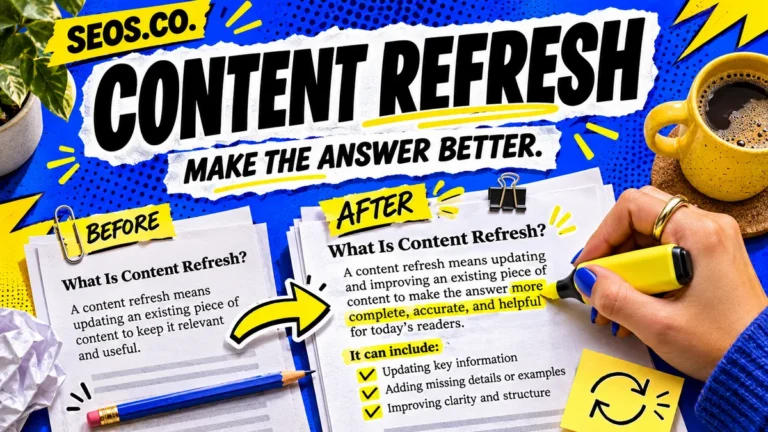
MAKE THE ANSWER
WORTH FINDING.
Choose the right intent, improve the answer and connect supporting resources.
Start with: the page’s actual offer, the questions customers ask and the kinds of results currently answering those questions. Content-focused SEO tutorials work best when the page has one clear job. A buyer comparing providers needs evidence and selection criteria; a reader fixing a technical fault needs prerequisites, steps and a completion check.
Map related questions to sections before writing. Decide which questions belong on this URL and which deserve a supporting guide. Give the main answer early, then explain the conditions that change it. Use a descriptive title and a main heading that accurately identify the subject. Make subheadings describe decisions or tasks rather than repeat a keyword with small variations.
Add something that changes the reader’s ability to act: a worked example, a useful comparison, a limitation, a troubleshooting branch or a clearly explained method. If you cite a finding, link to the source that supports the specific statement. Distinguish your own example from measured research. Remove claims you cannot substantiate rather than decorating them with an unrelated citation.
Finish with: a page that answers its primary question, explains the next step and links to genuinely relevant supporting material. Read it on a phone and follow the contextual links. A successful content update should help a reader make a decision even before any search performance changes appear.

GET THE TECH
OUT OF THE WAY.
Work through duplicate URLs, rendering, migrations and slow interactions with evidence.
Start with: one affected template, a sample of its URLs, a backup and a clear description of the expected behavior. Technical SEO tutorials should lead to a reproducible check, not a list of settings changed because a tool displayed a warning.
For duplicate or near-duplicate URLs, decide which version should represent the content. Review redirects, canonical annotations, sitemap membership and internal links together. A canonical is a signal rather than a command, so conflicting signals deserve investigation. Do not canonicalize a useful distinct page to an unrelated destination simply to reduce a duplicate-content count. Google’s canonicalization documentation explains the available signals.
For rendering problems, compare the delivered page with the version a visitor sees after scripts run. Check whether the main answer and important links survive. For performance problems, reproduce the slow action on a representative device: opening navigation, choosing a filter or submitting a form. Find the script, image or layout behavior responsible before making a broad change.
Finish with: a saved before-and-after example, a narrow repair and checks on both the affected page and another page using the same template. For migrations, keep a URL mapping and verify redirects, destination content and internal links. These SEO tutorials support safer implementation; they do not replace testing the actual site after deployment.

BE THERE WHEN
LOCAL CUSTOMERS LOOK.
Connect accurate business information with useful service and location pages.
Start with: the business’s real services, eligibility, locations, service area, opening hours and contact details. Local SEO tutorials should make those facts easier for customers to verify. A page for a market you genuinely serve needs specific information about the service, not just a city name substituted into generic copy.
Review the customer’s route from the search result to the business profile and then to the website. Are the name, phone number, hours and service descriptions consistent? Does the landing page explain what is available and how to request it? Check the inquiry experience on a phone, including click-to-call links, directions where appropriate and form confirmation.
Give each useful location page a reason to exist. Explain the work performed there, practical service boundaries, relevant local examples you can support and any differences in availability. When the same team serves several areas, be explicit about that arrangement. Do not imply a staffed office where none exists or manufacture testimonials to fill a layout.
Finish with: accurate public facts and a working path to the correct service. Review results by the relevant geography and search intent. A single map position observed from your office is not a complete measure of visibility across the area. Use these SEO tutorials to improve the customer experience and evaluate changes under consistent local conditions.
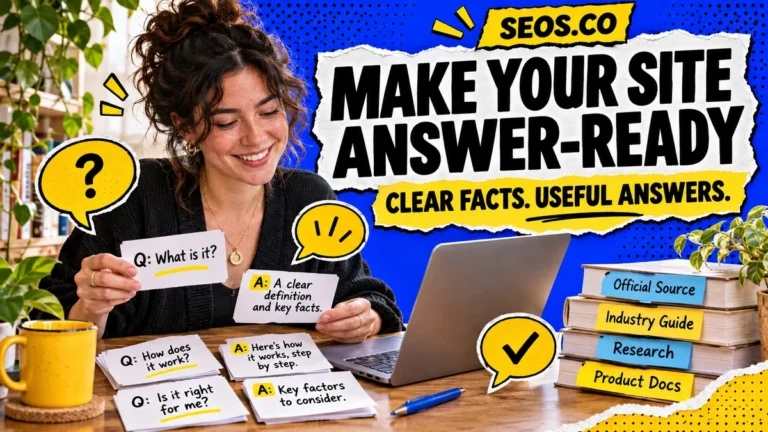
MAKE YOUR EXPERTISE
EASIER TO UNDERSTAND.
Improve answer quality and discoverability, then evaluate citations separately from referrals.
Start with: a real question your audience asks, an accessible page that answers it and evidence for the answer. AEO, or answer engine optimization, emphasizes useful answers. GEO, or generative engine optimization, concerns visibility in generated responses. Neither label removes the need for accurate content, clear entities and a page that people can use.
Write an answer that makes sense outside its surrounding paragraph. Name the product, service or concept rather than relying on unexplained pronouns. State the relevant conditions, units, date or limitations beside the claim. A comparison should explain the criteria and tradeoffs; a process should identify its inputs and expected output. Keep important facts in visible text rather than only inside an image.
Use sources to support specific claims and keep facts consistent across related pages. Google’s generative AI optimization guidance connects AI-search visibility to its underlying search and quality systems. These SEO tutorials therefore treat answer clarity and technical access as complementary work, without promising that a particular paragraph or markup type will earn a citation.
Finish with: an answer review and a small, repeatable set of audience questions. Record the engine, wording, date and cited pages. Check whether an answer actually supports its claim and describes your business correctly. A brand mention, a linked citation and a qualified website visit are different observations; keep separate records for each.

CHECK THE WORK.
THEN WATCH THE RESULTS.
Connect search visibility, useful visits and completed tasks without confusing them.
Start with: the intended outcome, a working measurement setup and the date of the change. Measurement-focused SEO tutorials help separate a successful deployment from a demonstrated improvement. Confirming that a new title is live answers an implementation question. Establishing whether the change improved qualified traffic needs a later comparison.
Choose metrics that correspond to the stage you are investigating. Discovery and indexing describe access to search; impressions and queries describe visibility; clicks and sessions describe visits; completed inquiries or other meaningful actions describe outcomes. Compare the same URLs and useful query groups across comparable periods. Note seasonality, campaigns, outages and other changes that could explain a difference.
Test the important action yourself and confirm that its event appears where expected. Watch for duplicate event firing, missing consent-dependent observations and referrals that arrive without an identifiable source. Do not interpret the measurable subset of AI referrals as every visit influenced by an AI answer. Preserve the limits of the reporting system in your conclusions.
Finish with: a change log, a verification record and a review date suited to your traffic volume. If several changes shipped together, describe the combined result instead of assigning all improvement to one tactic. These SEO tutorials are most useful when each implementation produces both a better page and clearer evidence for the next decision.
THE FIX ISN’T ALWAYS
“WRITE MORE CONTENT.”
Imagine a local accounting firm whose tax-planning page receives relevant search impressions but produces few inquiries. This is an illustrative diagnosis, not a reported client result. The first task is to inspect what those impressions represent. If most queries seek a definition, the page may be attracting readers who are not looking to hire. If queries clearly seek a provider, inspect the result’s wording and the page’s service information.
Next, compare the page with the decision a prospective client needs to make. Does it explain who the service is for, what work is included, what information the client must prepare and how to start? Replace a vague promise with a concrete process that the firm actually follows. Link a short explanation of a technical topic to a supporting guide instead of turning the service page into an encyclopedia.
Then test the inquiry path on mobile. A useful page can still fail if its form is difficult to complete, its phone link is broken or its confirmation gives no next step. Save the before state, deploy the narrow changes and check the published version. Later, review relevant queries and qualified inquiries together. The lesson is to choose SEO tutorials around the observed bottleneck, rather than applying the same checklist mechanically to every page.
YOUR FIRST PROJECT.
THREE SMALL MOVES.
First session: investigate. Choose one important page and one audience task. Save the baseline, read the relevant tutorial and list the facts you still need. Do not begin with the largest sitewide change just because it affects more URLs. A representative page is a manageable place to learn whether your diagnosis is correct.
Second session: implement. Prepare the exact content or technical change, preserve a rollback copy and review the result before publishing. Keep the scope small enough to explain. If the repair affects a template, identify other pages that share it and include them in verification. Record any dependencies that require a developer or business owner.
Third session: verify and schedule review. Open the public page, follow its links and complete its main task on mobile. Check the relevant technical signals and make sure reporting still works. Schedule the performance review according to available observations, not an arbitrary promise of instant rankings. Return to these SEO tutorials when the evidence points to the next constraint.

Before you mark the task complete
- Public delivery: open the published URL without relying on the editor preview.
- Answer quality: confirm the main question is answered and the supporting claims are accurate.
- Discovery: follow a relevant incoming link and check the intended canonical and indexing settings.
- Mobile usability: read the page, use its navigation and complete the intended action on a small screen.
- Media: check descriptive alt text, readable graphics and image dimensions that avoid layout jumps.
- Measurement: record the change, confirm tracking and choose the later review period.
GOOD QUESTIONS. STRAIGHT ANSWERS.
Start with the audit and keyword paths, then improve one important page. Learn how to distinguish indexing from ranking, identify what the audience expects and verify a published change. Google’s SEO Starter Guide is a useful foundation alongside the task-specific walkthroughs. You do not need an expensive tool stack to inspect a page, clarify its answer and test its links.
The library explains concepts and organizes the broader subject. This hub helps you choose a task, collect the right starting evidence and decide whether the work is complete. The detailed walkthroughs remain at their existing URLs, so you can move from a practical problem to deeper explanation without reading several versions of the same lesson.
Improve the existing page when it already serves the same audience and intent. Create a new page when the question, offer or decision is meaningfully different and needs its own explanation. Before splitting content, check existing search queries and incoming links. Before merging pages, decide which useful information and URLs need to be preserved.
No. You can verify that a page is accessible, accurate, well organized and useful; search and answer systems still choose what to show. Treat rankings, citations and referrals as later observations. A sound implementation has value because it resolves a real problem and makes the next measurement more informative, not because a particular format guarantees inclusion.
Bring in help when a change affects many URLs, redirects, rendering, security, checkout or other business-critical behavior that you cannot safely test. Give the specialist a problem statement, example URLs and your evidence. That makes the scope clearer than asking for a generic score improvement. Use our agency directory when you need to compare relevant capabilities.
For the foundations behind these workflows, read Google’s SEO Starter Guide. For deeper subject coverage, explore the SEOS.co learning library. If implementation needs outside support, compare capabilities in our SEO agency directory.