
Video SEO Guide
How Does Video SEO Work?
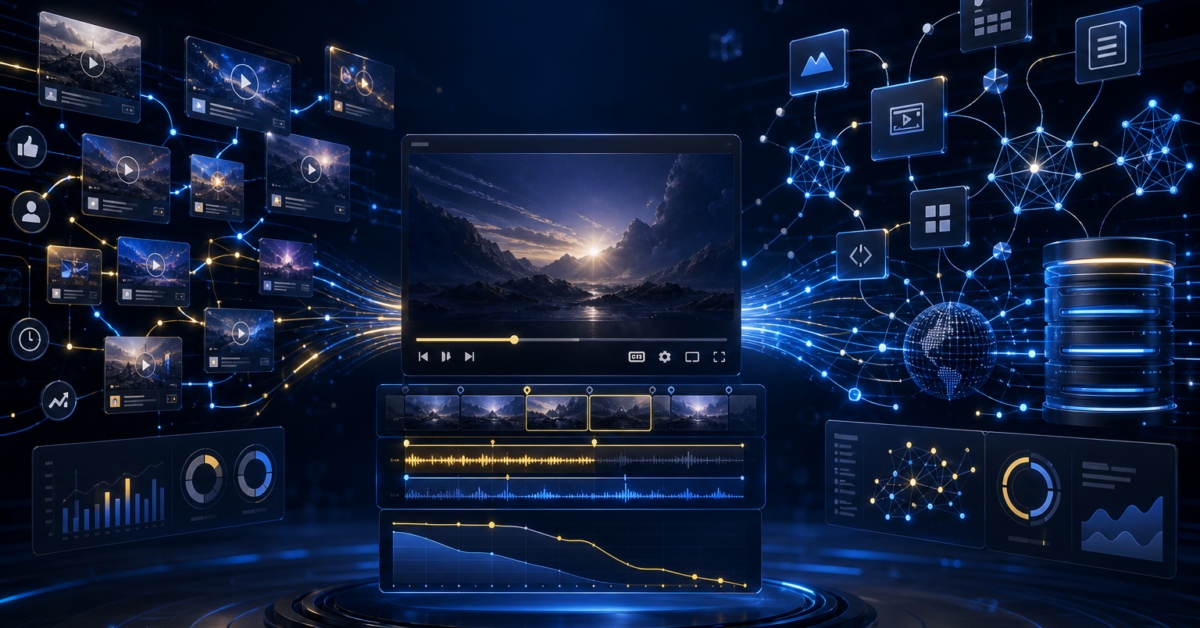
Video SEO works by helping search systems understand a video’s topic, access its assets and recognize that viewers find it useful. On YouTube, rankings depend mainly on relevance, engagement and quality. On Google, visibility also requires an indexed watch page where the video is prominent, playable and supported by a stable thumbnail and accurate metadata. Effective video SEO therefore combines audience research, strong content and packaging, watch-page optimization, structured data, internal linking and performance measurement.
TL;DR
Key Takeaways
- Video SEO includes two connected systems: platform optimization for YouTube and web optimization for Google Search, Video mode, Images, Discover and AI search.
- YouTube evaluates relevance, engagement and quality. Titles, descriptions, spoken content and query-specific watch behavior matter more than extensive tag lists.
- Google generally needs a dedicated, indexed watch page where the video is prominent and supported by a stable thumbnail.
- VideoObject markup can clarify the video's name, description, thumbnail, upload date, duration and media location, but markup cannot make an inaccessible or weak page rank.
- Measure discovery, click-through rate, retention, watch time, conversions and video indexation separately so one healthy metric does not conceal another failure.
- Transcripts, chapters and concise answer passages improve accessibility and give conventional and AI search systems more explicit material to retrieve.
- A video should match the query's required format. Some searches need a demonstration, while others are served better by text, images or a comparison table.
- Sustainable visibility comes from useful videos, technically sound watch pages, topical authority and natural link demand, not keyword stuffing or deceptive engagement.
Video SEO has two ranking systems
Video SEO is the practice of making video content discoverable, understandable, indexable and compelling. It is not one algorithm or a list of metadata fields. It operates through two connected systems.
Platform optimization
YouTube Search attempts to match a query with relevant, engaging and authoritative videos. According to YouTube’s explanation of search and discovery, relevance can include the title, tags, description and video content. Engagement includes signals such as query-specific watch time, while quality considers expertise, authoritativeness and trustworthiness. Recommendations and Home use additional personalization signals, so a video can rank in search without receiving equivalent recommendation traffic.
Web optimization
Google must crawl and index the host page, recognize the embedded video, access a valid thumbnail and understand the relationship between the video and page. Google says a video generally needs an indexed watch page where it is the main content. That requirement separates video SEO from simply embedding a supporting clip halfway through an unrelated article.
The practical implication is simple: optimize the video as a media experience and the watch page as a search document. Success in only one system can produce YouTube views without Google visibility, or an indexed page whose video receives little watch time.
Choose queries that genuinely benefit from video
Start with the task behind the query, not the production format. Video is strongest when motion, sequence, personality or visual proof reduces uncertainty. Examples include software walkthroughs, repairs, exercise demonstrations, product comparisons, property tours and expert explanations.
Map each topic to a primary intent and likely query fanout. A search for “how to change a bicycle tire” can lead to follow-up needs involving required tools, tire removal, tube inspection, inflation pressure and common installation errors. One focused video can answer the main task, while chapters, supporting pages and related clips cover the fanout without turning the title into a list of keywords.
| Query condition | Best asset | Decision rule |
|---|---|---|
| A physical or on-screen sequence must be followed | Step-by-step video with chapters | Show each state change and make the result visible |
| The user needs a fast factual answer | Concise text answer, optionally supported by a short clip | Do not force a long video before revealing the answer |
| Options must be evaluated | Comparison page with test video and table | State criteria, limitations and who each option suits |
| The query needs current visual evidence | Original demonstration or field test | Record the method and publish the observed result |
| The topic has no meaningful visual component | Text, diagram or calculator | Use video only if an expert explanation adds distinct value |
This format decision prevents a common failure: producing video because the channel needs uploads rather than because the searcher needs motion or demonstration.
Build relevance and viewer satisfaction into the video
The title should make a clear promise using the language viewers recognize. The thumbnail should communicate the outcome or tension without contradicting the title. Accuracy matters because aggressive packaging can earn an initial click but lose viewers immediately, weakening satisfaction.
Open by confirming the problem and expected outcome. Avoid a long logo sequence, broad biography or generic scene setting. Then demonstrate the process in the order a viewer must perform it. Use spoken terminology, captions and on-screen labels naturally. Search systems can derive meaning from more than the upload fields, so the actual video must substantively answer the query.
Descriptions should summarize the content, identify relevant entities and include useful links. YouTube recommends relevant terms and synonyms, while its documentation says tags are mainly useful for common misspellings. Tags should therefore receive far less effort than the title, thumbnail, opening, structure and content quality.
Use chapters when distinct steps or subtopics exist. On YouTube, timestamps can help generate key moments in Google. Chapters also let viewers confirm that the video covers their specific problem before committing to the full runtime.
Create a watch page Google can index
A watch page is a dedicated URL whose primary purpose is presenting one video. Place the playable video prominently, give the page a descriptive title and add supporting text that accurately represents the recording. The page should provide value beyond a bare embed, but it should not bury the player beneath a full article, intrusive interstitial or unrelated modules.
Google must be able to fetch the page, player dependencies and thumbnail. Avoid blocking required resources through robots controls. Use a stable thumbnail URL, keep the video playable on mobile devices and make sure consent systems do not leave crawlers with an empty container. If the same video appears on several URLs, choose a primary watch page and apply consistent canonicals rather than forcing search engines to select among duplicates.
For large libraries, include valuable watch pages in XML sitemaps, link them from crawlable hubs and inspect server logs to verify that Googlebot is reaching both new and refreshed URLs. Control faceted archives, internal search results and automatically generated tag pages so they do not consume crawl attention or create duplicate video destinations.
An embedded YouTube video can rank on YouTube independently of the host page. Conversely, an indexed article is not proof that Google indexed its embedded video. Check the page and video as separate search assets.
Use structured data to clarify, not manufacture, eligibility
Add VideoObject structured data to the watch page when its values match the visible content. Important properties include name, description, thumbnailUrl, uploadDate, duration and a usable contentUrl or embedUrl. The thumbnail must remain accessible at the declared address.
Google supports Clip markup for manually defined segments and SeekToAction when a player can resolve timestamp URLs. These features can make key moments eligible for search presentation. YouTube descriptions with correctly formatted timestamps can also help Google identify moments.
For livestreams, BroadcastEvent markup can communicate start and end timing and may support a LIVE badge. Google recommends Indexing API notifications when a broadcast begins, ends or changes. That API recommendation is specific to qualifying livestream and job posting use cases, not a general shortcut for ordinary video pages.
Structured data is descriptive evidence, not a ranking switch. It cannot compensate for an unindexed page, an inaccessible player, a missing thumbnail or markup that conflicts with what users see.
Follow a practical publishing sequence
- Define the search task. Record the primary query, audience, desired outcome and follow-up questions.
- Confirm that video is the right format. Identify what must be shown rather than merely stated.
- Plan proof and structure. Outline the answer, demonstration, caveats, chapters and next action.
- Record for comprehension. Capture clear audio, readable interfaces, close views of important actions and an immediate confirmation of intent.
- Package accurately. Write a specific title and create a thumbnail that complements it.
- Publish supporting information. Add a concise description, captions, chapters and relevant destination links.
- Create or improve the watch page. Make the video prominent and add a useful summary, transcript or procedural notes.
- Add technical signals. Validate structured data, canonicals, thumbnail access, mobile playback and indexation controls.
- Connect the topic graph. Link from relevant guides, category hubs and related videos using descriptive context.
- Measure and refresh. Review discovery, click behavior, retention, indexation and business outcomes at defined intervals.
This order prevents teams from treating metadata as a repair for a video that does not satisfy the task.
Diagnose performance by locating the broken stage
Do not react to low views by changing everything at once. Locate the stage where demand stops moving through the system.
| Observed pattern | Likely issue | Next check |
|---|---|---|
| Few impressions on YouTube | Weak topic demand, relevance or channel fit | Compare search terms, competing formats and whether the video explicitly answers the query |
| Impressions rise but click-through rate is weak | Title and thumbnail packaging | Test a clearer promise without changing the underlying intent |
| Clicks are healthy but viewers leave early | Expectation mismatch or slow opening | Inspect the first major retention drop and compare it with the title promise |
| YouTube performs but Google shows no video result | Watch-page or indexation failure | Check page indexing, video prominence, thumbnail access, canonical choice and the Video indexing report |
| Google indexes the video but impressions decline | Demand change, competition or content decay | Compare queries and devices, then refresh obsolete steps, visuals and supporting text |
| Views grow but leads do not | Intent or conversion mismatch | Segment conversions by query, page and traffic source rather than total views |
Use YouTube Analytics for impressions, click-through rate, views, traffic sources, watch time and audience retention. Use Google Search Console for page queries, video appearances and the Video indexing report. For large sites, combine these interfaces with crawl data and server logs to identify orphan pages, delayed discovery and wasted crawling.
Run controlled title or thumbnail tests where the platform permits, changing one major variable at a time. Retention problems usually require editing or a better replacement video, not endless packaging tests.
Optimize for AI retrieval without abandoning search fundamentals
AI answer systems need extractable evidence. Give the video and watch page a concise definition, an answer-first summary, explicit steps, named entities, measurable facts and clear limitations. Accurate captions and edited transcripts expose information that would otherwise exist only in audio. Chapters create smaller, semantically coherent passages that can answer follow-up questions.
This does not guarantee citation in Google AI Overviews, AI Mode, Bing or Copilot, or ChatGPT. Retrieval can vary by query, system, source access and freshness. Pew Research’s March 2025 browsing study found that traditional result clicks occurred on 8% of visits with an AI summary, compared with 15% without one. Clicks to sources cited inside summaries occurred in 1% of visits. YouTube was among the frequently cited domains. The strategic goal is therefore broader than earning a click: make the brand, expert, method and result unambiguous when an answer system absorbs the passage.
Publish important claims in accessible HTML rather than only inside the video. State who conducted a test, what was tested, when it occurred and what limitations apply. This supports both human verification and machine retrieval. Avoid machine-generated transcripts with uncorrected product names, numbers or technical terms.
Build authority and natural link demand around the library
Organize related videos into a hub-and-spoke structure. A broad hub can explain the complete subject, while focused watch pages address individual tasks, comparisons and troubleshooting questions. Link between them only where the next resource helps complete the user’s journey.
Consolidate thin or overlapping watch pages instead of allowing several weak URLs to compete for the same intent. Refresh decaying videos when interfaces, regulations, products or procedures materially change. Preserve a useful URL where possible, update visible dates honestly and explain important revisions.
Assets most likely to earn references include original tests, benchmark datasets, expert demonstrations, statistics pages, downloadable templates and transparent comparisons. Conduct link-intersect research to find publications that cite competing resources, reclaim accurate unlinked brand mentions and use digital PR when the video contains genuinely newsworthy data. Expert contribution programs can add first-hand experience if contributors and methods are disclosed.
Riskier tactics include purchased engagement, misleading thumbnails, mass-produced near-duplicate videos and schema that exaggerates visible content. They may create short-lived metrics but introduce policy, reputation and measurement risk. Do not use deceptive redirects, hidden content, fabricated reviews or artificial evidence.
What is proven, accepted and still uncertain
Supported by official documentation
- YouTube Search uses relevance, engagement and quality signals.
- Titles, descriptions and video content help establish relevance, while tags have limited utility beyond cases such as misspellings.
- Google needs an indexed watch page and accessible video information to make a hosted video eligible for video search features.
- VideoObject, Clip, SeekToAction and BroadcastEvent can communicate eligible video attributes and experiences.
Strong practitioner consensus
- Accurate packaging, a concise opening and close alignment between query and video improve the chance of sustained viewing.
- Transcripts, chapters, internal links and dedicated watch pages make a video library easier for users and search systems to navigate.
- Original demonstrations and data create more durable differentiation than metadata adjustments alone.
Uncertain or context dependent
- Ranking-factor studies report correlations, not proof that changing one factor will cause a ranking increase.
- There is no dependable formula for an ideal video length, keyword density, publishing frequency or click-through rate across every query.
- Anecdotal practitioner reports indicate that YouTube visibility and AI citation visibility can diverge. This is plausible because the systems use different retrieval and presentation processes, but community reports should not be treated as controlled evidence.
The safest decision rule is to follow documented eligibility requirements, test presentation changes against audience behavior and label correlations or community observations honestly.
FREQUENTLY ASKED QUESTIONS
SEO Questions Answered
What is video SEO?
Video SEO is the process of improving a video’s discoverability, interpretation, indexation and appeal across YouTube, Google video surfaces and AI search. It combines content relevance, viewer satisfaction, metadata, accessible media assets, watch-page quality and technical signals.
How long does video SEO take to work?
There is no fixed period. YouTube can test a new upload soon after publication, while Google must crawl and index the watch page and recognize its video. Demand, channel history, competition, internal discovery and technical accessibility all affect timing.
Do YouTube tags help videos rank?
Only modestly in most cases. YouTube says tags can help with common misspellings, but the title, description, actual video content, viewer response and quality signals deserve more attention.
Does embedding a YouTube video improve Google rankings?
An embed does not automatically improve rankings. It can make a page more useful when the video directly supports the task, but Google still evaluates the page, video prominence, accessibility, relevance and broader quality. A supporting embed may not qualify as the page’s main video.
Does every video need its own page?
Create a dedicated watch page when Google video visibility matters and the video can satisfy a distinct search intent. Decorative clips and minor supporting videos do not necessarily need separate URLs.
Should a watch page include a transcript?
A reviewed transcript is useful for accessibility, scanning and search interpretation. It should be accurate and well structured. Remove transcription errors, identify speakers where helpful and avoid publishing repetitive filler merely to increase word count.
What is the most important video SEO metric?
No single metric is sufficient. Evaluate impressions, click-through rate, audience retention, watch time and conversions together. For hosted watch pages, add indexation status, search impressions and the percentage of eligible videos Google has indexed.
Can schema make a video rank?
No. VideoObject markup helps Google understand accurate attributes and may support eligibility for video features, but it cannot overcome an unindexed page, inaccessible player, weak relevance or misleading content.
How should old videos be updated?
First determine whether the problem is packaging, outdated content or technical indexation. Update titles and thumbnails only when they remain accurate. Replace or re-record videos when the procedure or evidence has changed, then revise the transcript, chapters, structured data and supporting page.
How does video SEO support AI search?
Clear summaries, captions, transcripts, chapters, named entities and source-backed facts give AI systems extractable passages. These practices improve retrieval readiness but do not guarantee that any particular AI product will cite or recommend the video.
RESEARCH SOURCES
Sources and Verification
- Google Search Central, Video SEO best practicesPrimary guidance on watch pages, video prominence, thumbnails, crawlability and Google video surfaces.
- Google Search Console, Video indexing reportOfficial explanation of indexed and excluded video reporting in Search Console.
- Pew Research Center, Google users and AI summariesIndependent browsing study based on 68,879 searches by 900 U.S. adults in March 2025.
- Search Engine Journal, YouTube SEO ranking correlation studyReports an analysis of more than 1.6 million YouTube videos. Its correlations should not be interpreted as causal ranking rules.
- Montclair State University, YouTube optimization practices and rankingsAcademic research using machine learning and SHAP analysis to examine factors associated with top-ten YouTube rankings.
- ScienceDirect, YouTube transcript and engagement studyResearch analyzing 1,055 YouTube videos through transcripts, language features and engagement data.
- NIST TRECVID 2025 video search datasetPrimary research dataset containing 7,475 Vimeo videos, about 1,000 hours of media and speech transcripts.
- Wyzowl, Video marketing statisticsCurrent practitioner dataset offering market context on organizational video use. It does not establish search ranking factors.
- HubSpot, Video marketing statisticsPractitioner compilation providing video marketing and audience context rather than causal SEO evidence.
- TechRadar, Human and agent audiencesIndustry perspective on making web content useful to both people and automated agents.
- On Marketing, Trends in AEO 2025Practitioner report used only for broader answer-engine context, not as evidence of a guaranteed citation method.
- Reddit, Practitioner discussion of AEO and GEO experimentationCommunity discussion included as anecdotal practitioner context. It is not controlled evidence.
- Research sourceConsulted during live web research for this page.
- Google Search Central, Video structured dataPrimary documentation for VideoObject, Clip, SeekToAction, BroadcastEvent and livestream notifications.
- YouTube Help, How YouTube Search worksPrimary source for YouTube relevance, engagement and quality considerations.
- Research sourceConsulted during live web research for this page.
- YouTube Help, Understand your YouTube content performanceOfficial reference for impressions, click-through rate, views, watch time, traffic sources and retention.
- YouTube Help, Tips for video descriptionsOfficial guidance on useful descriptions, relevant terminology and supporting information.
- YouTube Help, Add tags to videosOfficial source explaining the limited role of tags and their usefulness for misspellings.
- YouTube Help, Add chapters to videosOfficial guidance on dividing videos into navigable sections. Chapters are discussed alongside Google's key moments documentation.
SEOS.CO EXPERT MATCH
Ready to Find the SEO Partner That Can Win Your Market?
Tell us your market, goals and growth targets. SEOS.co will help narrow the field and connect you with a serious SEO partner built for the opportunity.